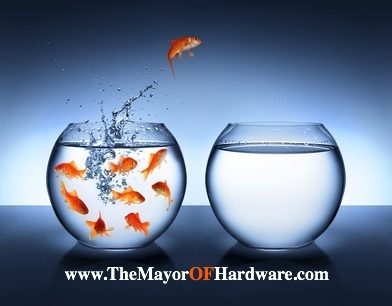
Build Your Brand or Risk Extinction!!

Build Your Brand or Risk Extinction

This post is for employees, business owners, recent graduates… Anyone that isn’t planning to inherit their rich grandparent’s fortune… 🙂

Yes the economy is back… My clients are busy no matter their market and there seems to be enough work to go around.

Congratulate yourself for making it to this point, but now is not the time to get comfortable… It’s time to double down!!

Are you sharing content?

Are you creating fans?

Are you building a network?

If you’re not you’re competitor is…

This might not affect your bottom line today or tomorrow…

The problem is that by the time you realize that you need to start creating your army it will be too late…

Want to avoid extinction??

  • Start by taking a look at your social media profiles. Are they complete and current?
  • Is your content appropriate? Does your audience care that Kim Kardashian’s baby just turned 1?
  • Are you sincere? If not your audience will pick up on this right away.
  • Do you share content with a smile? You have heard the expression, you can hear a smile over the phone, well you can hear a smile in your writing.
  • Do you appreciate your network? Always thank your audience for listening to your thoughts and sharing your content.

Your turn – did I miss any?

What do you do to build your brand? I love reading your comments.

If you enjoyed it, please share with your network.

Are you using any other platforms? Let’s connect on Twitter, Facebook or G+.

Social Media Hacks that I Use Daily

Social Media Hacks that I UseMy customers constantly want to know how they are supposed to make time for all of this “social media stuff.”

Their days are spent responding to customers, creating sales and running the business…

Add your family responsibilities to the list, if you’re like me and have young children at home, your weekends are probably spent running from soccer to T-ball to dance class…

Where / How do you find the time?

Unfortunately none of these hacks increase the number of hours in a day, but they will help you maximize the time that you are putting into your social media efforts.

At least they work for me… and just a side note – I’m not affiliated with any of these sites in anyway, I’m sharing these apps because I really do use them and I think they can help.

The best part is most of them are free!

Ok, in the interest of time (haha see what I did there) let’s dive in –

BufferApp.com

This is an awesome tool. I use it to schedule (buffer) all of my tweets, posts to Facebook, G+ and LinkedIn. Buffer gives me all of the analytics – clicks, re-tweets, favorites, etc… Using this info I can figure the best times to post and what content my network finds valuable. If you Buffer a tweet with a photo – Buffer displays the photo in your newsfeed which is a huge benefit! A tweet with a photo is much more likely to be shared or clicked.

HootSuite.com

Another great tool. I use it to listen and monitor Twitter for keywords in my industry. HootSuite makes it really easy to browse your saved searches or lists and blocks out all of the noise. You can manage all of your social media profiles, schedule posts and see analytics. Their mobile app helps me stay connected through out the day.

TweetDeck.com

TweetDeck is very similar to HootSuite. It also allows you to schedule posts, save searches and gives you analytics. I used TweetDeck for years before I discovered HootSuite. Now I lean towards HootSuite only because I like the display better and I think the mobile app is smoother… That’s just my opinion, you may feel different. Currently I use HootSuite for listening and TweetDeck for responding.

PicMonkey.com

This is a simple web based photo editor that I use for almost every post that I make. It’s very important for the photos to display properly on each platform. PicMonkey makes re-sizing, adding text or cropping images very simple. The best part is you don’t have to be a graphic designer to use.

Pinterest.com

Yes, I know this is a social media platform – so how does it save you time? Many of my posts are interesting articles that I think my network will find value in. Rather than post them at midnight when most of my followers are sleeping, I save the link to a private Pinterest board and than come back later to post. This is a great way to curate content especially if you have the pleasure of working with a team. Another cool Pinterest trick is once you save your link, Pinterest will tell you who else has pinned that link. If you click on those boards, you can find new people to follow or even more content worth sharing.

Twitter.com

I use “Favorite” tweets similar to the way that I use Pinterest. I can favorite a few tweets per day, come back later and share them with my LinkedIn community or Facebook followers depending on what type of content it is.

Feedly.com

This is a cool site that allows you to create your very own newsfeed. You can choose from 20 different topics and you can even save RSS feeds. I love this site because, if you’re like me and a little OCD about having a clean in-box all of those articles that you plan to read are in one place, sorted and saved for you.

Paper.li

Paper.li is similar to Feedly, it pulls information from all over the internet. You can save RSS feeds, Twitter searches, even hashtags from up to 25 sources. Once you decide which sources to use Paper.li formats all of this info into a digital newsletter / newspaper. You can set up the frequency of the newsletter and than have it sent to you network, or you can use it just to curate content.

Alltop.com / Buzzfeed.com / NPR.org

These are all sites that I visit regularly to find interesting articles. I can search by topic, what’s trending, and what’s hot. There is a ton of information here.

Shareaholic.com

I recently added Shareaholic to my blog, in minutes I was able to add all of the social share buttons that I needed. You can customize the button layout, display a counter and choose the placement. At the end of my posts Shareaholic added a “related topics” section. In this section of my blog it displays links to other posts that my reader may be interested in – this is a great way to keep a reader clicking on your site!

Yoast.com

If you’re using WordPress, you have to install Yoast. It helps you with all of your SEO. It checks your keywords, meta tags, gives you tips on your content and the list goes on. Even if you only use half of the capabilities, you will be way ahead of the game.

Animoto.com

A web based software that allows you to turn photos into videos that you can than share on your social platforms. It’s as simple as uploading your photos and picking your music. This is an easy way to upload content to your Youtube channel. I made this video in 5 minutes.

Aweber.com

This is the only tool on the list that you have to pay for. I use Aweber for all of my email marketing, creating my list and sending out auto responders. There are similar services out there like ConstantContact.com Mailchimp.com and iContact.com I prefer Aweber because there are a bunch of tutorials on their site and if I can’t figure out how to do something, their customer service rocks!

You Can’t Succeed without Putting in Time… Hopefully These Hacks Will Help You Make Better Use of the Time You’re Putting in….

Your turn –

Do you have any to add to the list?

If you found any value in this post please share with your network.

Thanks!

How Can Local Businesses use Social Media?

How can local business use social mediaI grew up in a tight knit neighborhood in Brooklyn – as if my accent didn’t give it away.  For anyone that has ever lived in the “city” you know that once the weather starts to warm up, around 7:00 p.m. everyone migrated to their stoops.

My mother would come downstairs with her freshly brewed cup of coffee and catch up on the local gossip.  My mother and the neighbors would discuss topics like the upcoming supermarket sales, who bought a new car or what stupid thing the kids got caught doing…

As I look back I wonder if my Brooklyn stoop was the original social media platform??

I have since moved to the suburbs – mainly because my wife couldn’t parallel park – and out here nobody sits on the stoop.  We all wave and smile, but there’s not a nightly exchange of info…

I believe the reason is because you can find out everything that you need to know on Facebook, Twitter or any of the other platforms…

If we bring this back to – How can local businesses use social media?

What if you were the one curating all of the local content?

Think about how that could increase traffic to your site.

Couldn’t you create a newsletter that had all the gossip going on in your area?

How much time would it take you to tell your potential customers what’s happening in their / your community?

You can discuss new restaurants opening up, the upcoming summer fairs, or cover the high school teams. Parents love to read about their children, even if it’s in the local closet company’s newsletter…

Here’s the best part of this strategy, every 7th story is something related to your product or service.  There could be a story about organizing a garage or storing the children’s toys… Maybe include a photo of Mrs. Smith’s new mudroom. See where I’m going with this…

Oh and by the way I don’t care what you sell, I think this will work for most local businesses.

A few tools to help you create your newsletter are MailChimp, ConstantContact or Aweber.

Are you currently doing anything like this?  I would love to hear your thoughts.

If you have any questions leave them below.

Get Social to Increase Quality Leads…

Get Socail to Increase Leads

Today I would like to get back to things that you should be doing to increase your leads…

I know I said the magic word – We all want more leads…

How do you get them??

Get Social to Increase Your Leads

You can keep wasting money on pay per click and traditional advertising or you can start investing in social media, SEO and email marketing…

I know your eyes just glazed over…  This is important and the future of your company depends on getting started.

Create a “complete” profile on the platform of your choice…

Pick anyone that you like –

It doesn’t matter which you decide on because your customers are there… Each platform requires a different strategy and form of engagement.  Pick the one that you feel most comfortable with.

Think and act like your ideal customer. 

What is important to them?  What questions are they asking you before they buy?

Give them that information.  This creates better quality leads and will help you work with the type of clients that you want to work with.

Provide value for free without expecting anything in return… 

Giving is easy  – not expecting anything in return is the hard part.

If you’re keeping score, in the long run you will lose.

Respond to all comments… Especially the bad ones. 

If someone calls to complain I’m sure you do your best to fix the problem…

What happens if that same customer tweets to 1000 of their closest friends and you don’t respond… I know you’re not on Twitter so how can you respond…

Guess what your competitors are there and if they are doing their job on social media they have a perfect opportunity to steal your client…

I would love to hear from you.

Have you started using social media?  What has your experience been like?


Social Suicide – Are you making these social media mistakes?

Are You Making These Social Media Mistakes?

Have you heard the story about the business owner that puts a ton of effort into social media and after 6 months – says “That was a waste of time…”

Usually it was a waste of time is because there was more focus on ROI instead of engaging your audience.

Here is a quick list of social media mistakes that I think negate your efforts –

The “Post & Run”

This irks me more than anything.  Starting a discussion on LinkedIn or posting a question on Facebook and not responding to the comments.

That deserves a “C’mon Man!”  Every comment must have a reply or be acknowledged.

I’ll forgive you when your audience hits six figures… Until then respond!

“Social Bragging”

I have to admit that from time to time I am guilty of this…

Have you ever looked at someone’s profile and all they post are happy smiling customers gushing about their product/service, rainbows and unicorns?

Do you have a Facebook friend that is constantly posting photos of their vacations, new cars, or how wonderful their life is?

I don’t know about you, those posts make me want to gag.

That’s what you are doing to your community…

The “I Must be Lost Post”

When sharing an update respect the tone of the platform that you are posting to.

Do you know most people using Facebook are scrolling with their phone?

Your 200-word post is going to be missed because it’s too much to read on a phone.  A better place to post that is your blog or website…

A one sentence “tease” with a link and a photo will get many more clicks.

“Social Bullying”

My son is learning about this in Kindergarten and since we haven’t attended in a while – I thought we should review…

Have you seen this type of post – “We apologize for letting you down, it wasn’t our fault, it was the XYZ shipping company.”

A negative post will not have a positive effect on your brand… I can guarantee that.

The “We Got Post”

We got new phones, new computers, we painted our office, we are having an anniversary…

I have news for you – the only person that cares about these things is you.

Your community wants news that is relevant to their problems and how you can make their life easier.

If you have a new phone system – does that mean that the wait time will be shorter?  Or does it mean that I will no longer be able to speak with a live person?

Take a look at your posts – How many of these are you guilty of?

Do you have any you would like to add to the list?